

WebPage TimeDetector
Home-brewed mini-app (coded with AI-assistance) Chrome extension uncovers the original publication date for any webpage.
In March I announced that I would be challenging myself in building a useful mini-app every month - with AI assistance.
I wanted to limit as much as possible paywalling my content, and reward supporters / paying subscribers with custom, highly-focused mini-apps that could be helpful especially to my niche audience: curators, experts, journalists, consultants and indie entrepreneurs like me.
And here it is: the first one is out.
It’s called WebPage TimeDetector and it is a very simple but super-effective tool to rapidly identify the original publication date of any webpage, even and foremost when it is not available on the page itself.
What does it do?
This Chrome extension does a very specific job: finding out the original publication date of any online article.
Say you are referencing an interesting research paper but no date appears on the page; or you are considering to review a special resource but you have no idea of how old or young is it; or you are curating a number of independent voices on a specific theme, but need to understand the chronology of their contributions when no clear date is visible on their article pages.
In all of these situations the WebPage TimeDetector extension can provide the key critical missing element, while being fully transparent in declaring the degree of confidence with which is reporting each specific date.
Why did I build it?
As a curator and writer I often reference content from other authors.
Frequently the content may be a few years old, and it may come from obscure or not very popular sites.
Some of this content - for one reason or another - does not have or display an original date of publication. Generally this is due to an editorial decisions (some authors don’t like to see their content “date”), though the reasons could be different:
Fear of Looking Outdated
Leaving the date off makes a piece look timeless to the superficial reader. When your advice, price list, or research ages like milk, a missing date hides the smell and keeps most readers think it is recent.SEO Advice
The author may have followed SEO tips suggesting that Google would prefer “fresher” content rather than seasoned pieces, or that it is a smart idea to keep updating an article to keep it visible inside search engine result pages, by showing only its last updated date.Content Recycling
Content marketers rehash old posts into “new” ones or re-spin them with minor changes. Showing a date would expose the remix.Thin or AI-Generated Pages
Auto-written or scraped material ages badly and fast. better to omit the clock than show the corpse.Corporate Bureaucracy
Legal or PR wants wiggle room to “update” public, official statements without admitting they changed stance. Omitting the pub date gives them that option.
But for me as a curator, having access to the original publication date provides a lot more context to understand, appreciate and evaluate the circumstances and times in which that idea, analysis or observation was developed.
Unless you know the original date of a web page it is difficult to critically analyze it, assess its value and understand the reasons and motives that may have led to its genesis.
Goal
Create a tool that:
identifies the original publication date of any webpage
humbly replaces the now defunct Finitimus Chrome extension, the only tool that used to be able to dig and uncover this piece of precious info.
Unfortunately Finitimus is no longer available in the Google Chrome Store as it uses coding protocols and technologies that are not secure enough and not supported anymore.

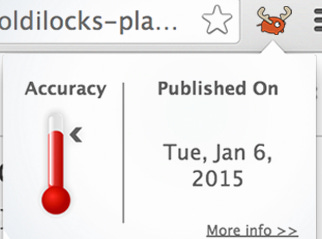
WebPage TimeDetector wants to replace and improve upon the hole that Finitimus left (last update March 2015) while thanking its authors sincerely for the great work they had done.
I have basically fully reverse-engineered the original extension and rebuilt one (with AI assistance and a little strategic help from my nephew Nico) that does exactly what Finitimus did and more.
It has not been easy. But I am a white belt in building apps without paying a human coder and I am extremely happy with the results achieved so far.
In the coming months, I will be refining and releasing updated versions of this Chrome extension, following the feedback and comments that I will get, and adding a few extra features to make it even more useful and handy.
More info on where to download the WebPage TimeDetector and how to install it, in the Premium section of this issue.